
Water Leak / Level Sensor
Ecovacs: Cleaning-sink water-level sensors false full or leak-style alert
Applies to: Ecovacs Deebot. Meanings can vary by model — trust the voice alert on your unit.
What causes it?
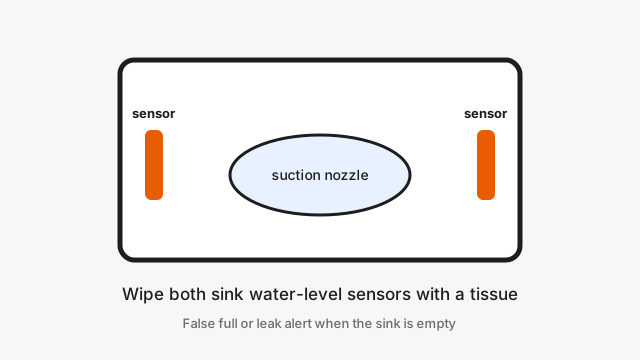
DEEBOT Omni stations (T20, T30, X1, X2, X5 Pro) have water-level sensors on both sides of the cleaning sink. When those sensors are dirty, the station reports the sink or dirty-water tank is full — or a leak-style water alert — even when the sink is empty. Official FAQs call this a dirty water-level sensor, which is the same hardware people search as “Ecovacs water leak sensor”.
How to fix it
- If the station indicator is flashing, unplug it, wait, and plug it back in before other checks.
- Take the robot off the station.
- If the sink is empty but still alerts, wipe the water-level sensors on both sides of the sink with a tissue.
- Clear debris from the sink suction nozzle.
- Remove the dirty-water tank, reseat the sealing plugs, close the lid firmly, and press the tank down.
- Confirm the float in the mop-washing tray moves freely and its magnet is still fitted.
- If the empty sink still alerts after clean sensors, the station sensor or pump needs repair.
Cleaning-sink water-level sensors false full or leak-style alert — fix guides by model
Dock layout, brush position, and parts differ by model — open the guide for your unit.
- Ecovacs Deebot T20 Omni: Cleaning sink will not drain / false dirty-water full
- Ecovacs Deebot T30 Omni: Cleaning sink will not drain / false dirty-water full
- Ecovacs Deebot X1 Omni: Cleaning sink will not drain / false dirty-water full
- Ecovacs Deebot X2 Omni: Cleaning sink will not drain / false dirty-water full
- Ecovacs Deebot X5 Pro Omni: Cleaning sink will not drain / false dirty-water full
Still stuck?
Run free diagnosis for a guided path, or book a Brisbane meetup if DIY is not enough.