
iRobot Roomba: How to fix a Roomba (error codes and charging)
Where to look: Brushes, wheels, bin contacts, and charging pads — all Roomba series.
Roomba jobs that show up in search as “how to fix roomba”: Error 1 / 5 (wheel stuck), Error 2 (brushes), Error 14 / 1-4 (bin not detected), and charging-contact faults. Official iRobot steps first; Brisbane meetup if DIY stops.
Picture
What you might notice
- Error 1 or 5 — move to a new location / clear the wheel
- Error 2 — clear the brushes
- Error 14 or 1-4 — reinstall the bin
- Docks but battery % does not rise
Can I DIY this?
Easy DIY (~10-25 min) on iRobot Roomba. Clear debris first; replace a worn brush/filter only if cleaning fails. If the same alert comes back after a clean install, book a Brisbane meetup.
What you need
- Soft cloth
- Lightly dampened melamine foam (Magic Eraser)
- Scissors for hair
Do this
- Match the voice/app code: Error 1 / 5 is a stuck wheel (new location, hair in the wheel well). Error 2 is brushes that will not turn. Error 14 / 1-4 is the bin not detected — not a vacuum-path blockage.
- Error 2: remove the brushes, clear hair from rollers and end caps, test on hard floor if it only fails on thick carpet (official iRobot Error 2).
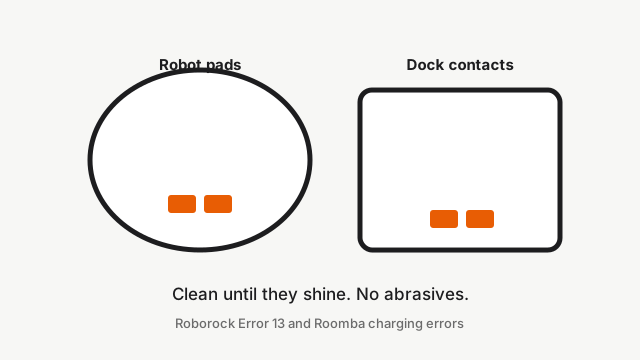
- Charging: unplug the dock 60 seconds. Clean robot and dock contacts with lightly dampened melamine foam or a damp cloth only — no abrasives. Contacts should shine. Green or copper colour means the contact is damaged and needs replacement (official iRobot charging-contact article).
- Bin not detected: reseat the bin fully, wipe bin contacts, press CLEAN.
- Open the model guide for your unit (j7+, s9+, Combo j9+) if the same code returns after one careful pass.
Parts (only if cleaning fails)
- Multi-surface brushes
- Bin
- Battery (service — lithium)
Official references
- https://homesupport.irobot.com/s/article/10531
- https://homesupport.irobot.com/s/article/20940
- https://homesupport.irobot.com/articles/en_US/Knowledge/8966
- https://homesupport.irobot.com/s/article/32681
- https://homesupport.irobot.com/s/article/19598
Model guides
- Roomba j7+
- Roomba s9+
- Roomba Combo j9+
- Error 2 — clear the brushes
- Error 14 / 1-4 — bin not detected
Still stuck?
Parts for this fix
Prefer buying the part and DIY when safe — round-trip postage often rivals a new machine. Ship docks only if we ask.
- Multi-surface brushesSearch Amazon AU →
- BinSearch Amazon AU →
- Battery (service — lithium)Search Amazon AU →
As an Amazon Associate, BotRescue may earn from qualifying purchases. Prices and stock are on Amazon AU. · campaign guide-roomba