
Xiaomi Robot Vacuum S20+: Laser sensor (LDS) error
Where to look: Top LDS turret and front black lenses.
Robot reports a laser sensor error or abnormal navigation path.
Picture
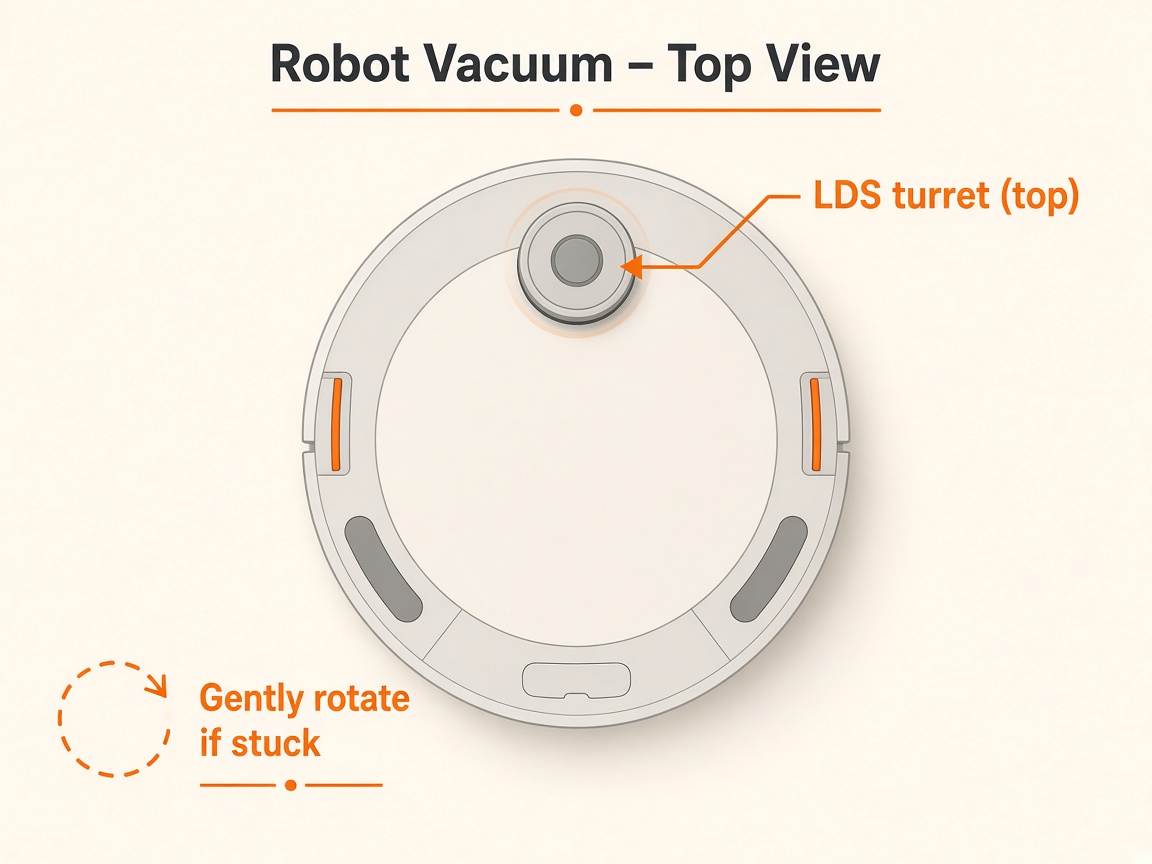
What you might notice
- Abnormal path / LDS not spinning
Can I DIY this?
Easy DIY (~5-15 min) on Xiaomi Robot Vacuum S20+. Clear debris first; replace a worn brush/filter only if cleaning fails. If the same alert comes back after a clean install, book a Brisbane meetup.
What you need
- Soft dry cloth
Do this
- Restart or force-restart the robot; update to the latest firmware.
- Clear debris/hair on top of the LDS; wipe black lenses on front/sides; gently tap LDS cover to check rebound; free rotation if obstructed.
- Wipe bumper and line-laser sensor; ensure no raised stickers on the body.
- If it persists, contact Xiaomi after-sales / request repair.
Parts (only if cleaning fails)
- None for a basic clean
Official references
- https://www.mi.com/global/support/faq/details/KA-267823/
- https://www.mi.com/global/support/faq/details/KA-267567/
Still stuck?
Parts for this fix
Prefer buying the part and DIY when safe — round-trip postage often rivals a new machine. Ship docks only if we ask.
- LDS / laser module (service)Search Amazon AU →
As an Amazon Associate, BotRescue may earn from qualifying purchases. Prices and stock are on Amazon AU. · campaign guide-xiaomi-robot-vacuum-s20+