
Cannot find / return to / complete docking
Where to look: Dock against a wall with clear runway; signalling window; drive wheels.
Robot cannot locate the dock, fails to climb on, or reports complete docking failed. Official placement, signal wipe, and wheel checks before service.
Picture
Quick answers
What is wrong?
Robot cannot locate the dock, fails to climb on, or reports complete docking failed. Official placement, signal wipe, and wheel checks before service.
What you might notice
- Cannot find base station
- Fails to return for charging
- Stops near dock without docking
- Complete docking failed
Can I fix this myself?
Often yes with careful cleaning. Difficulty: medium · about 15-30 min. If unsure or it returns, use mail-in repair.
What you need
- Soft dry cloth
Do this
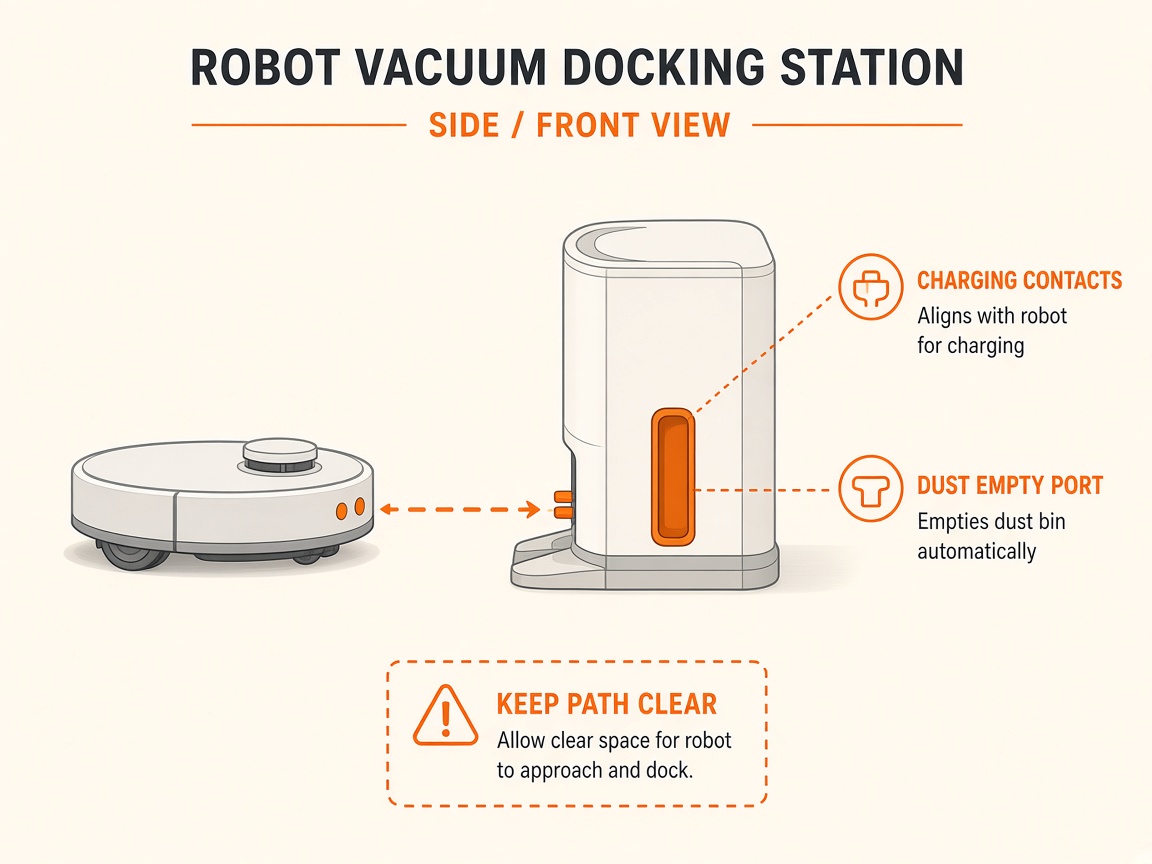
- Confirm the dock is powered and was not moved mid-clean. Clear obstacles around it.
- Place against a wall with ~5 cm clear each side and ~1.5 m clear in front. Avoid mirrors/windows directly opposite and strong RF interference nearby.
- Wipe the dock signalling area / charging-contact window and charging pins with a soft dry cloth.
- Place the robot 1–2 m in front and press Return / Recharge. Prefer starting cleans from the dock so the map stays linked.
- Check drive wheels are not stuck or slipping on a wet floor in front of the dock.
- If docking still fails with clear geometry and free wheels, request dock beacon / robot sensor repair.
Parts (only if cleaning fails)
- Drive wheel module (service)
- Dock (if beacon failed)
Official references
- https://support.dreametech.com/hc/en-us/articles/11741296251919-The-robot-cannot-find-the-base-station
- https://dreametech.zendesk.com/hc/en-us/articles/51728357808025-L20-Ultra-Fails-to-Return-for-Charging
- https://support.dreametech.com/hc/en-us/articles/11600532456591-Troubleshooting-L10S-Plus-recharge-failure-and-cannot-find-the-charging-station-Problem
- https://dreametech.zendesk.com/hc/en-us/articles/56130278338969-X40-Ultra-Complete-Docking-Failed
- https://support.dreametech.com/hc/en-us/articles/10820355927055-R2361C-L30-Ultra-User-Manual-US