
Base station will not empty the dustbin (full diagnostic)
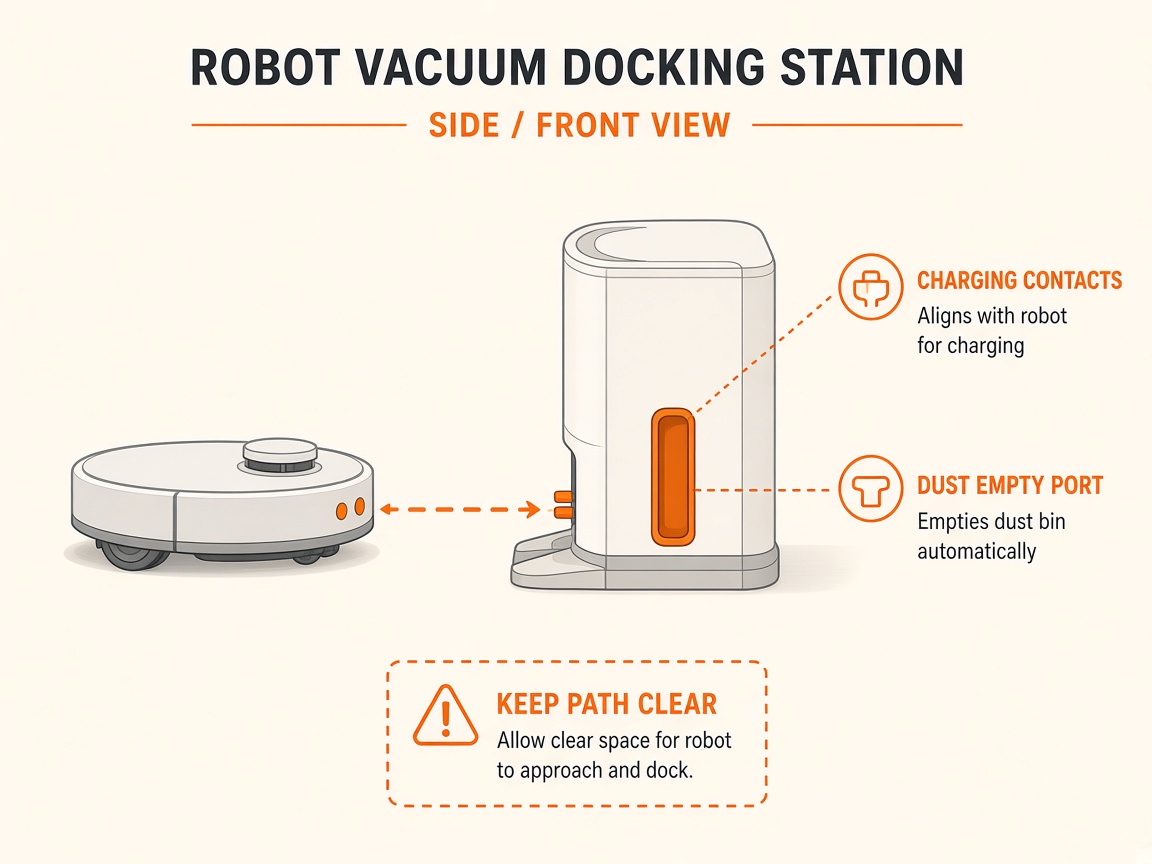
Where to look: Dock dust bag/tank, auto-empty ports on robot and dock, charging-contact signal window.
After docking, the station does not collect dust. X40 Ultra Complete official steps: bag install, blockages, app Dust Collection / DND, signal window.
Picture
Quick answers
What is wrong?
After docking, the station does not collect dust. X40 Ultra Complete official steps: bag install, blockages, app Dust Collection / DND, signal window.
What you might notice
- Fails to collect dust
- Dustbin still full after dock
- Dust bag full alert
Can I fix this myself?
Often yes with careful cleaning. Difficulty: medium · about 15-30 min. If unsure or it returns, use mail-in repair.
What you need
- Soft dry cloth
- Dry tissue
Do this
- Ensure dust-tank cover is closed and the dust bag is correctly installed. Dust collection needs the base powered normally.
- Replace the bag if full, then retry collection.
- Inspect dust-collection ports on the robot, base station, and dust box; remove debris before retrying.
- In the app: enable Dust Collection; turn off Do Not Disturb (or adjust the DND window) — DND blocks empty commands.
- Wipe the window near the charging electrodes with a dry tissue (signal transmission).
- If your home is very dusty, raise dust-collection frequency in the app.
- If Empty still fails with a new bag and clear ports, request station blower/path repair.
Parts (only if cleaning fails)
- Dock dust bag
- Station auto-empty path (service)
Official references
- https://dreametech.zendesk.com/hc/en-us/articles/54805036158361-X40-Ultra-Complete-Fails-to-Collect-Dust
- https://support.dreametech.com/hc/en-us/articles/10820384374159-R2492C-L40-Ultra-User-Manual-US