
Ecovacs Deebot T30 Omni: Cannot return to / enter the station (path, pads, slip)
Where to look: Clear dry path to OMNI Station; mop plates; drive wheels; wash tray.
DEEBOT cannot find the station, or finds it but cannot enter / slips out. Combines official return FAQs with slip/wet-tray guidance.
Picture
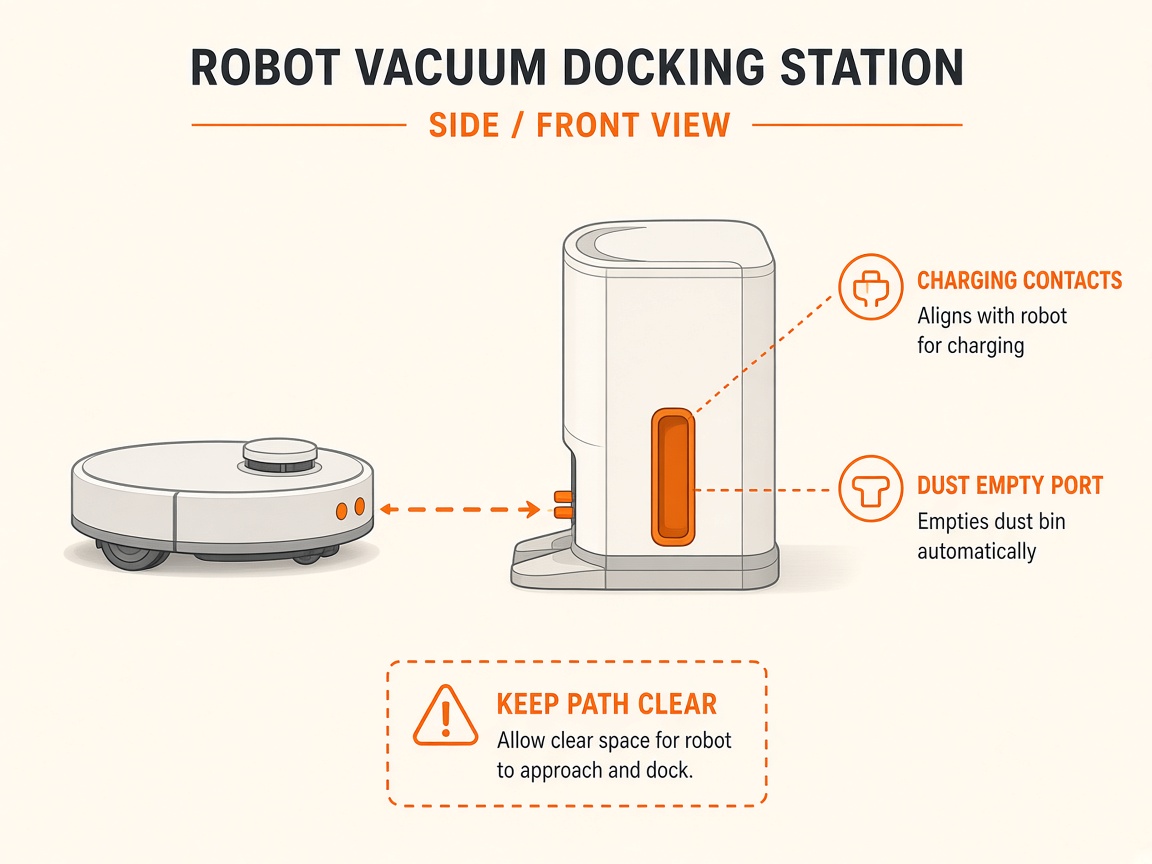
What you might notice
- Cannot return to the station
- Finds station but cannot enter / backs out
- Slips on wet tray or floor
- Return greyed out during mop washing
Can I DIY this?
Medium DIY (~15-35 min) on Ecovacs Deebot T30 Omni. Work through the steps once carefully. If you lack tools or the fault returns the same day, stop and use meetup / mail-in instead of forcing sealed parts.
What you need
- Soft dry cloth
- Slightly damp cloth then dry cloth
Do this
- Keep the station area clear. Do not unplug or move the station mid-clean; reseat on flat ground and reconnect power if moved.
- Wipe water puddles on the mop-wash tray and nearby floor with a dry cloth (no extra cleaning chemicals).
- Confirm mopping pad plates click into place with both hands. Clear blocked routes (closed doors). Prefer starting cleans from the station.
- If it slips near the station: power off, clean drive wheels (dampen cloth, wring well, wipe, then dry). Confirm wash tray / roller mop (if fitted) is seated.
- Wipe drive wheels and charging contacts so pins rebound. Place the robot in front of the station and press/hold Start or Return.
- If the app map has no station icon, manually dock, then rebuild the map. Note: Return may be greyed out while mop pads are washing — wait for that task.
- If entry still fails with dry floors and free wheels, request station beacon / wheel repair.
Parts (only if cleaning fails)
- Genuine mopping pads / plates
- Drive wheel module (service)
Official references
- https://help.ecovacs.com/global/support/faq-detail?id=1213
- https://help.ecovacs.com/us/support/faq-detail?id=484
- https://help.ecovacs.com/us/support/faq-detail?id=927
- https://help.ecovacs.com/global/support/deebot-x11-omnicyclone/faq-detail?id=1584&product_id=141
- https://help.ecovacs.com/us/support/deebot-t20-omni/faq-detail?id=487&product_id=856
- https://help.ecovacs.com/au/support/deebot-t30-omni-black
- https://help.ecovacs.com/au/support/deebot-t30-omni-black
Still stuck?
Parts for this fix
Prefer buying the part and DIY when safe — round-trip postage often rivals a new machine. Ship docks only if we ask.
- Genuine mopping pads / platesSearch Amazon AU →
- Drive wheel module (service)Search Amazon AU →
As an Amazon Associate, BotRescue may earn from qualifying purchases. Prices and stock are on Amazon AU. · campaign guide-ecovacs-deebot-t30-omni