
Cannot find or climb onto the dock (sensors + clearance)
Where to look: Dock placement, dock IR/beacon window, robot front sensors.
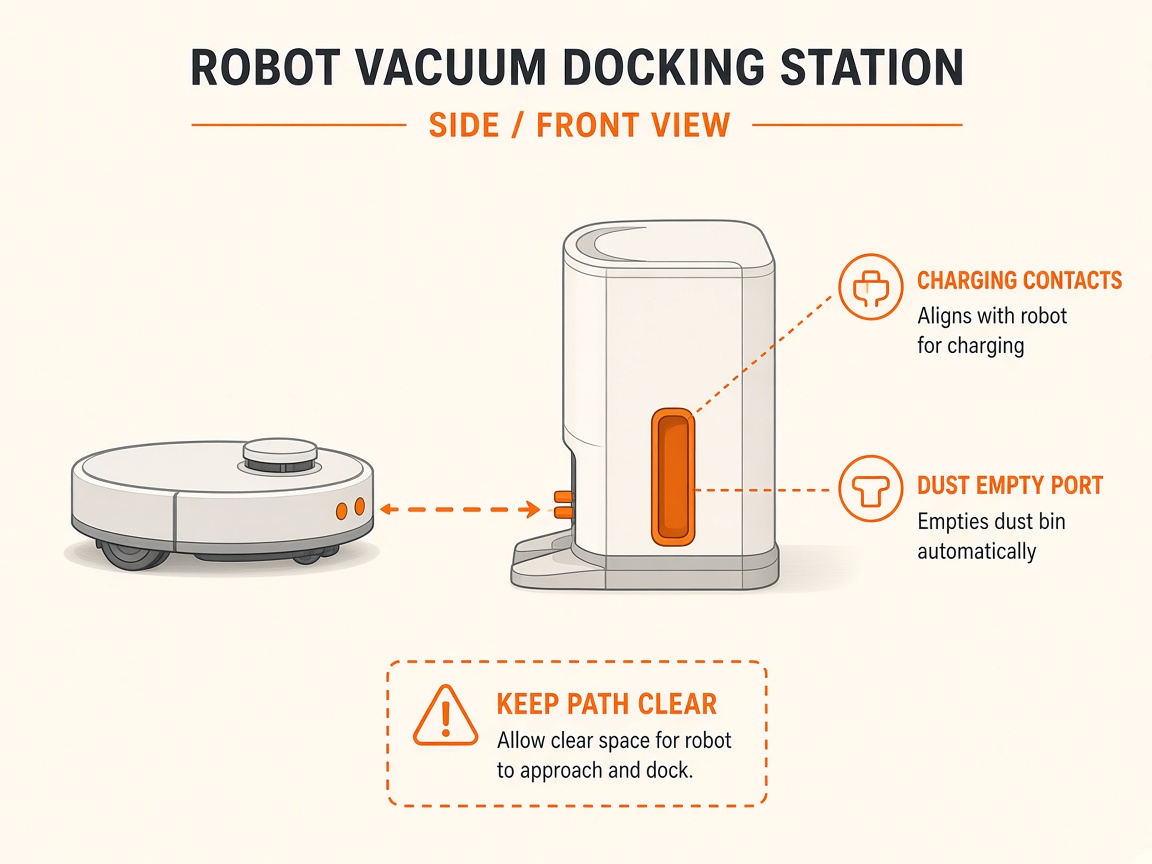
Robot cannot locate or mount the dock. Official guidance: clearance, clean dock signal area and robot front sensor, avoid starting far from a moved dock.
Picture
Quick answers
What is wrong?
Robot cannot locate or mount the dock. Official guidance: clearance, clean dock signal area and robot front sensor, avoid starting far from a moved dock.
What you might notice
- Cannot find dock
- Stops near dock without climbing
- Error 22/23 style dock-locator alerts
Can I fix this myself?
Often yes with careful cleaning. Difficulty: medium · about 10-25 min. If unsure or it returns after parts cleaning, use mail-in repair.
What you need
- Soft dry cloth
Do this
- Place the dock against a wall with at least ~0.5 m clearance each side and ~1.5 m clear in front (Roborock dock-finding article).
- Wipe the dock’s front signal transmission area and the robot’s front/recharge sensors.
- If you started the job away from a moved dock, place the robot nearer and tap Return to dock; keep the dock on the app map.
- Clear chairs, cables, and rugs that block the climb.
- If docking still fails with clear sensors and geometry, request dock beacon / robot sensor repair.
Parts (only if cleaning fails)
- Dock (if beacon failed)
- Front sensor assembly (service)
Official references
- https://support.roborock.com/hc/en-us/articles/360035732031-What-should-I-do-when-the-robot-cleaner-cannot-find-its-dock
- https://support.roborock.com/hc/en-us/article_attachments/46135756890521
- https://support.roborock.com/hc/en-us/article_attachments/48523675069849