
Eufy Omni S1 Pro: Not charging or powering on
Where to look: Omni Station charging prongs and robot charging contacts.
Robot will not charge or power on at the Omni Station.
Picture
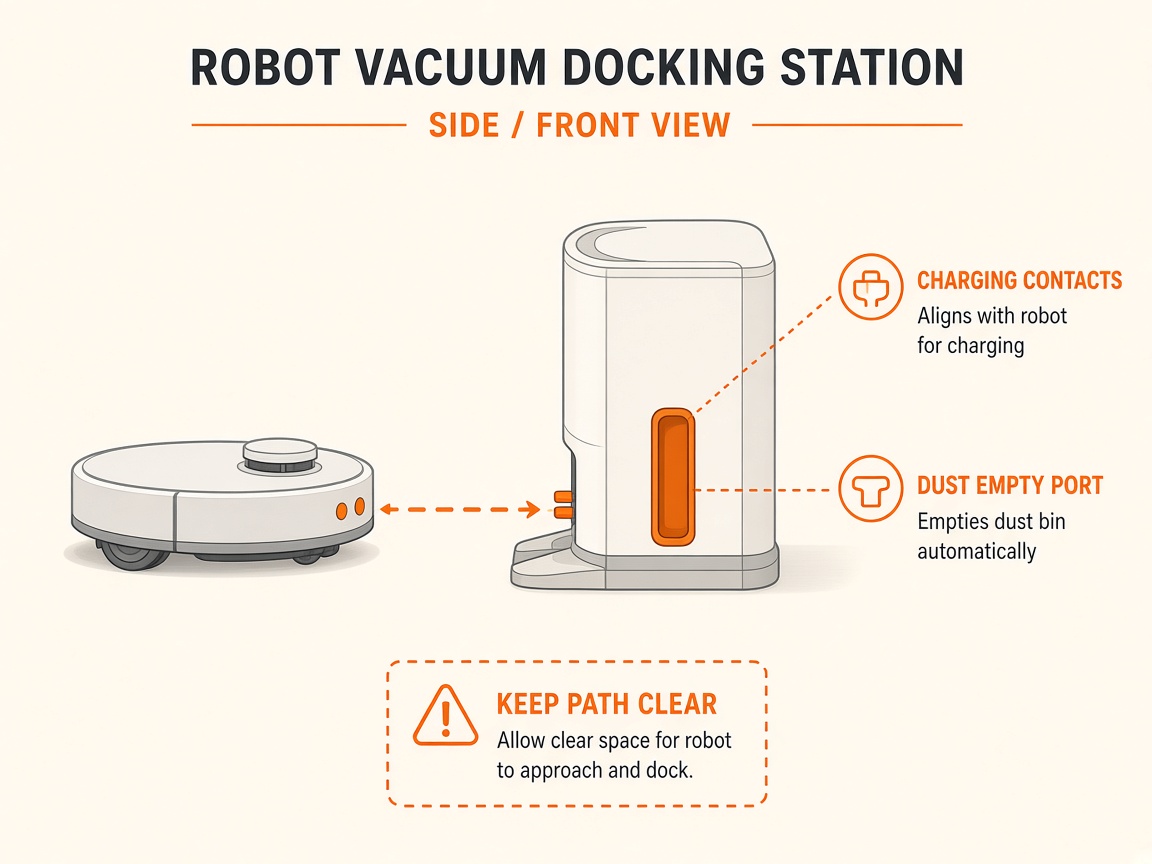
What you might notice
- No charge / will not power on
- Station light not steady white
Can I DIY this?
Easy DIY (~10-20 min) on Eufy Omni S1 Pro. Clear debris first; replace a worn brush/filter only if cleaning fails. If the same alert comes back after a clean install, book a Brisbane meetup.
What you need
- Soft dry cloth
Do this
- Confirm the Omni Station shows a steady white indicator and the power cord is fully seated in the station and a working outlet.
- Clean robot charging contacts, station charging prongs, and signal transmitter/receiver lenses.
- If unresponsive, press the Reset button with a pin, then restart.
- Avoid charging below 4°C or above 45°C; warm/cool the robot into the allowed range first.
- If it still fails, request repair.
Parts (only if cleaning fails)
- None for a basic clean
Official references
- https://support.eufy.com/s/article/What-should-I-do-if-my-X10-Pro-Omni-is-not-charging-or-powering-on
- https://support.nz.eufy.com/support/solutions/articles/154000240531-voice-alerts-quick-solutions-for-the-x10-pro-omni
Still stuck?
Parts for this fix
Prefer buying the part and DIY when safe — round-trip postage often rivals a new machine. Ship docks only if we ask.
- Dock power cableSearch Amazon AU →
As an Amazon Associate, BotRescue may earn from qualifying purchases. Prices and stock are on Amazon AU. · campaign guide-eufy-omni-s1-pro