
Commercial Delivery / greeting robot: Poor charge contacts / failed return-to-dock
Where to look: Charging pile plates and approach path.
Robot fails to charge or cannot return to its charging pile.
_For Commercial Delivery / greeting robot, confirm power/loop/dock basics before any sealed motor work._
Picture
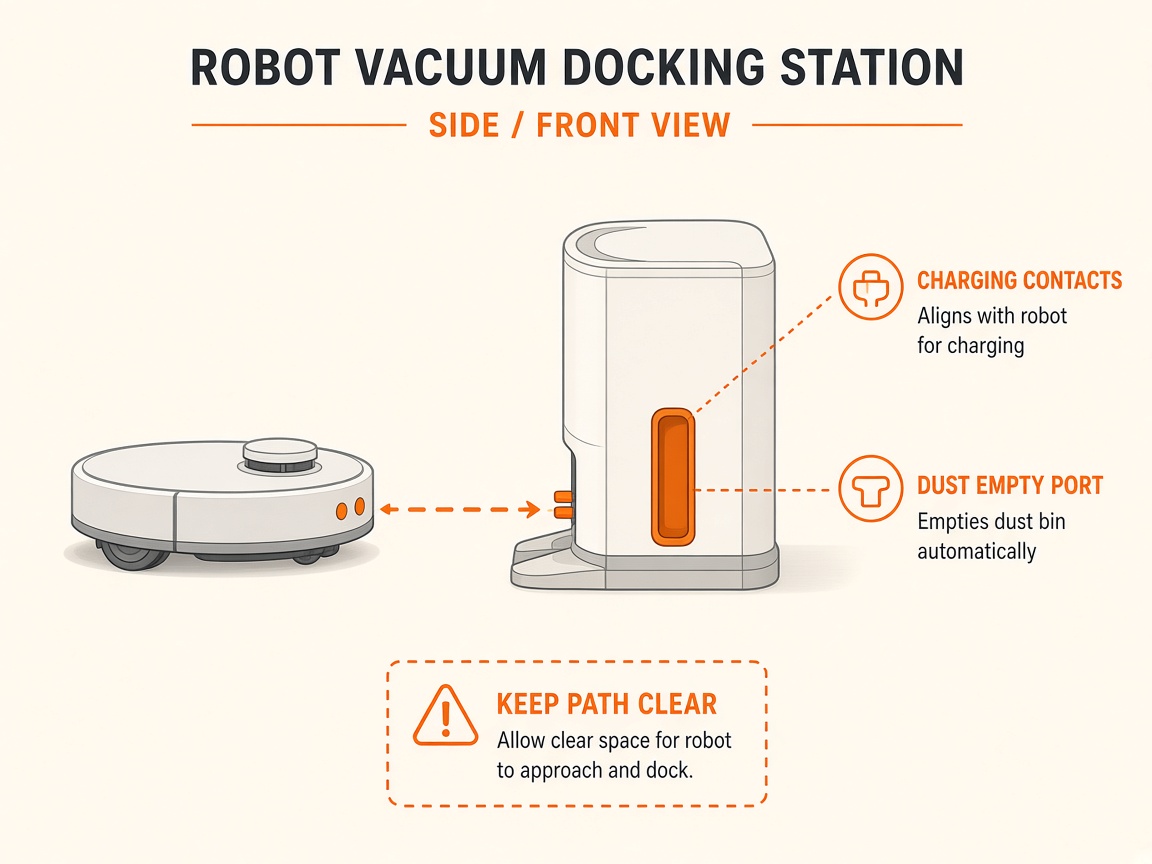
What you might notice
- Not charging
- Misses charging pile
Can I DIY this?
Easy DIY (~10-20 min) on Commercial Delivery / greeting robot. Clear debris first; replace a worn brush/filter only if cleaning fails. If the same alert comes back after a clean install, book a Brisbane meetup.
What you need
- Soft dry cloth
Do this
- Wipe robot and pile charge plates with a soft dry cloth. Keep pile powered, flat to the wall, with clear approach.
- Confirm the pile location exists on the active map and auto-charge is configured if used.
- Use the vendor-specified single adapter only. If red fault light persists on the pile, stop and call vendor support.
Parts (only if cleaning fails)
- None for a basic clean
Official references
- https://academy.pudutech.com/en/docs/charging-station-qsg
- https://academy.pudutech.com/en/docs/PUDU-CC1-Operation-Guide-V6
Still stuck?
Parts for this fix
Prefer buying the part and DIY when safe — round-trip postage often rivals a new machine. Ship docks only if we ask.
- Dock power cableSearch Amazon AU →
As an Amazon Associate, BotRescue may earn from qualifying purchases. Prices and stock are on Amazon AU. · campaign guide-generic-commercial-delivery-greeting-robot