
LIDAR / sensor needs reset
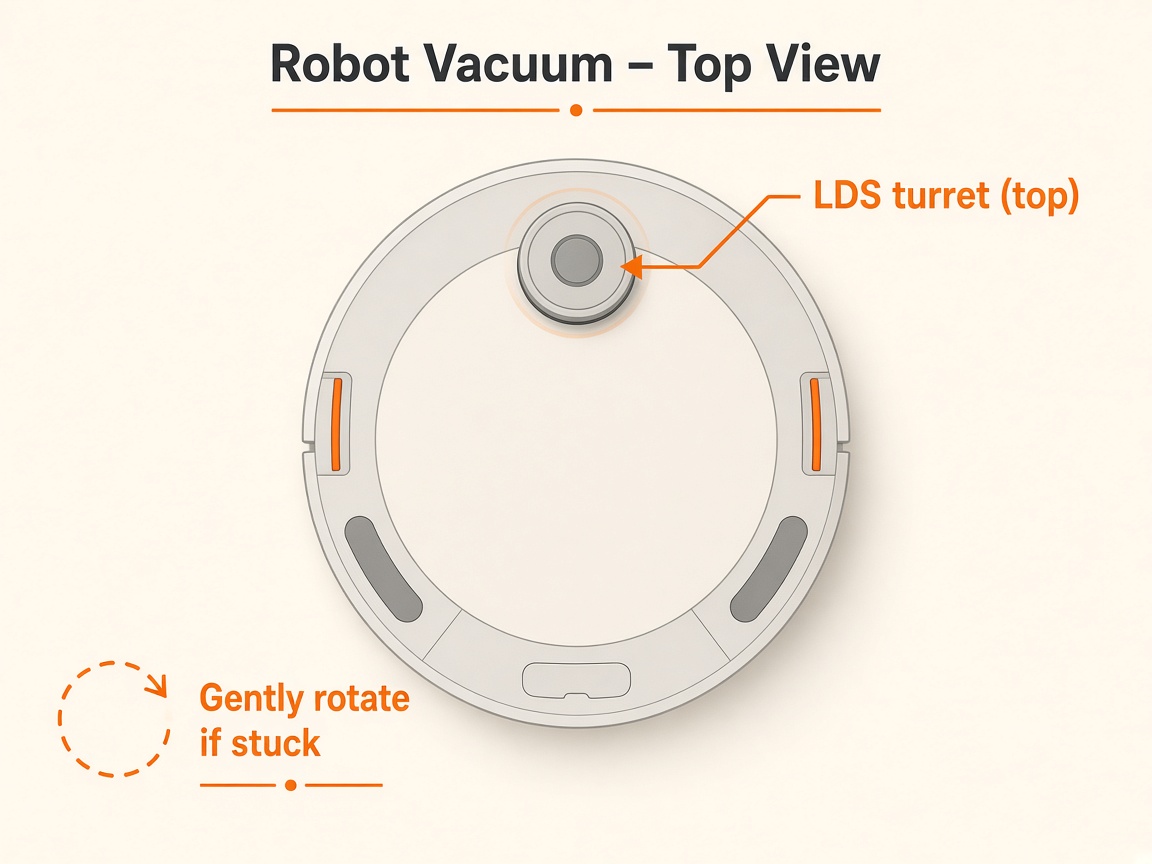
Where to look: Top LIDAR and front sensors.
Voice says the LIDAR (or other) sensor needs to be reset.
Picture
Quick answers
What is wrong?
Voice says the LIDAR (or other) sensor needs to be reset.
What you might notice
- LIDAR sensor needs reset
- 3D / object recognition sensor reset prompt
Can I fix this myself?
Usually yes for cleaning/clearing. Difficulty: easy · about 5-10 min. If unsure or the error returns, use mail-in repair.
What you need
- Soft dry cloth
Do this
- Turn power off, then on again as guided by the voice prompt.
- Wipe sensors with a soft dry cloth (manual maintenance).
- If the message returns, contact Samsung support / request repair.
Parts (only if cleaning fails)
- None for a basic clean
Official references
- https://www.samsung.com/us/support/troubleshoot/TSG10002342/
- https://images.webfronts.com/cache/frjzskjdarum.pdf