
Not charging / Clean Station not found
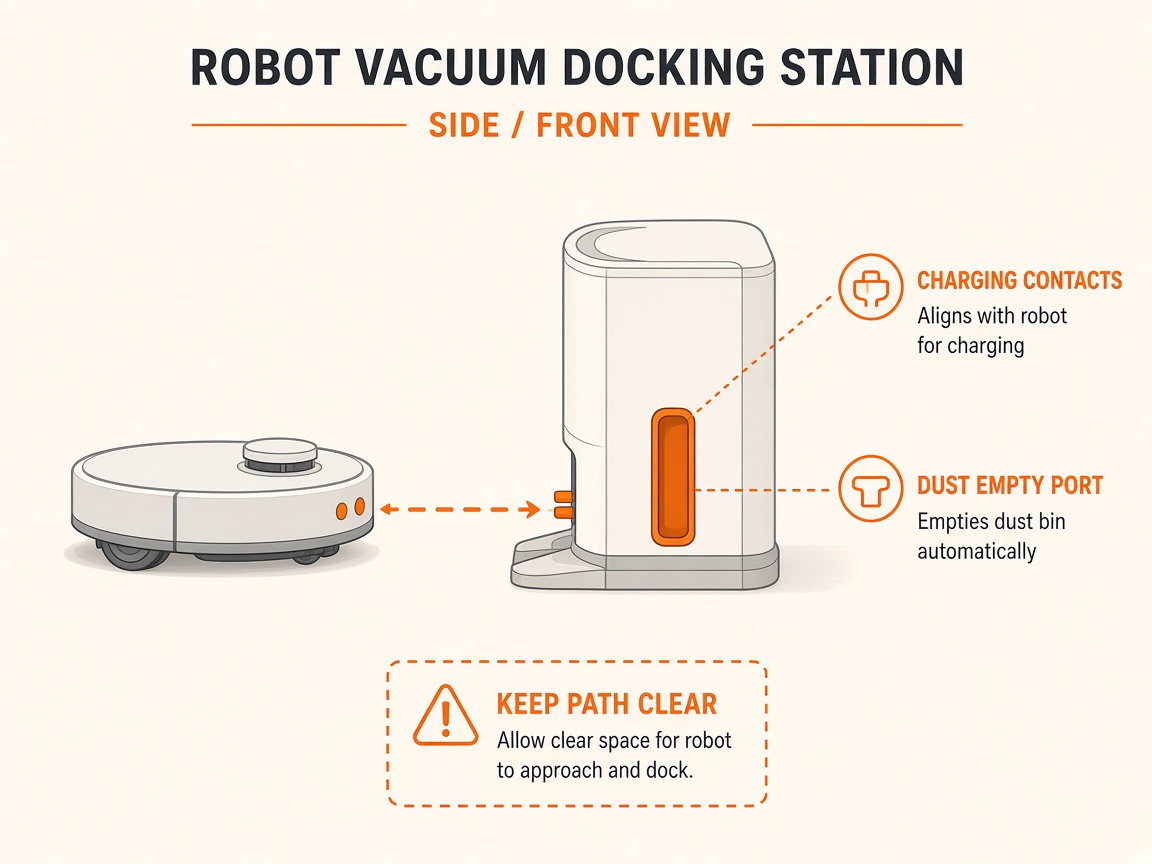
Where to look: Clean Station charging pins.
Jet Bot will not charge or cannot find the Clean Station.
Picture
Quick answers
What is wrong?
Jet Bot will not charge or cannot find the Clean Station.
What you might notice
- LED red / will not charge
- Cannot find Clean Station
Can I fix this myself?
Usually yes for cleaning/clearing. Difficulty: easy · about 10-20 min. If unsure or the error returns, use mail-in repair.
What you need
- Soft dry cloth
Do this
- Keep Clean Station powered. If LED is red, manually place the robot on the station (buttons may not work until partially charged).
- Clear obstacles around the station. Clean charging terminals/pins with a soft cloth.
- If needed, perform a simple reset via the reset hole under the cover (Samsung guidance).
- If it still fails, request repair.
Parts (only if cleaning fails)
- None for a basic clean
Official references
- https://www.samsung.com/ae/support/home-appliances/samsung-jet-bot-combo-troubleshooting/
- https://www.samsung.com/us/support/troubleshoot/TSG10002337/
- https://images.webfronts.com/cache/frjzskjdarum.pdf